Verifying your setup
To confirm that the setup is correct, go to your AI client and ask: "What Salesforce org am I connected to with Cirra AI?".
You should see something like:
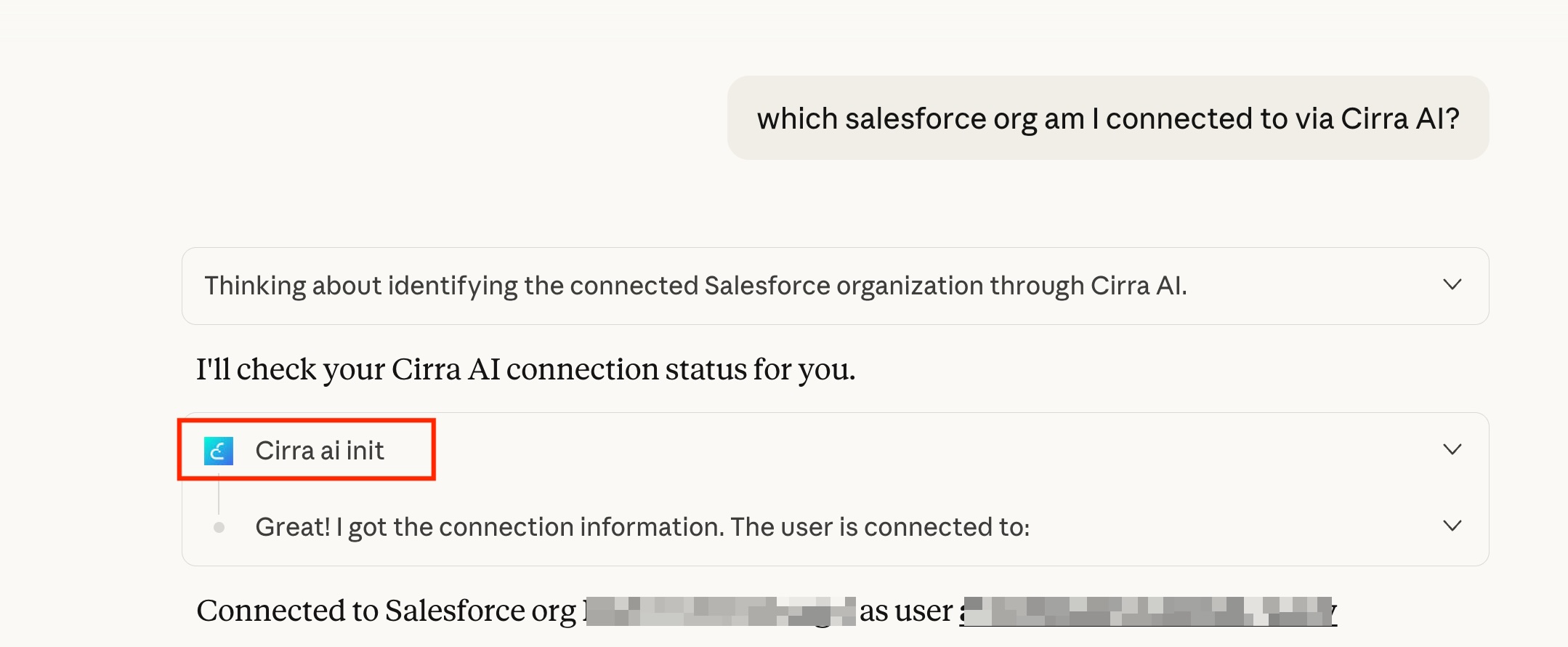
On some clients you may only see the text below the UI widget.
If the org or team are not correct, just ask the AI to switch it. You can also do it manually:
If this is not the right user, you should disconnect the MCP Server and reconnect
If for some reason it does not appear, you can be more explicit and prompt the LLM with init Cirra AI.
Make sure the correct tools are enabled
If you have issues, first make sure the correct tools are enabled.
-
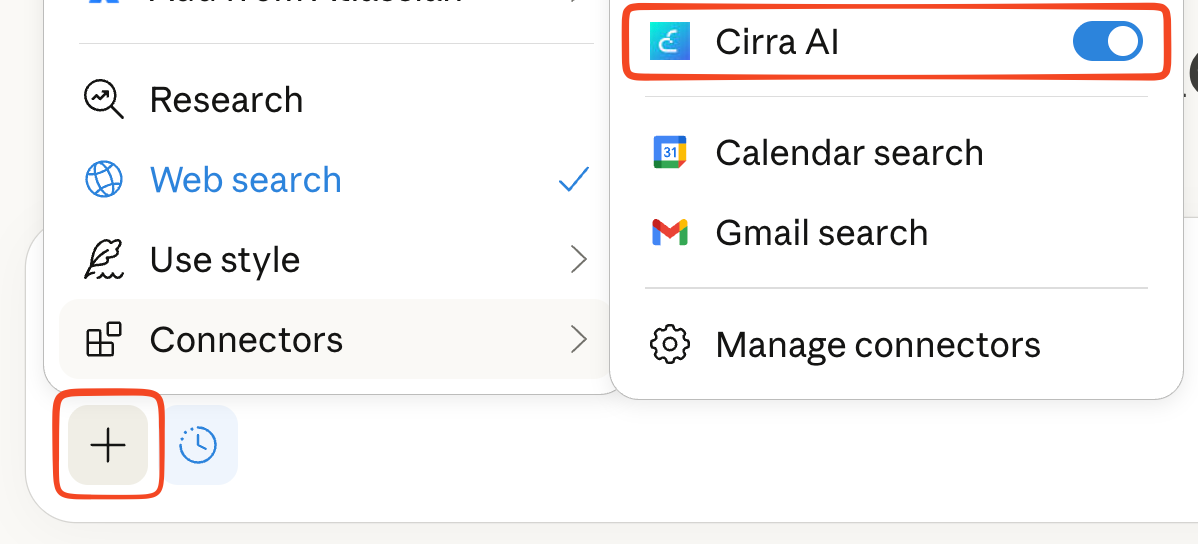
For Claude ensure the Cirra AI connector is enabled under Customize -> Connectors
-
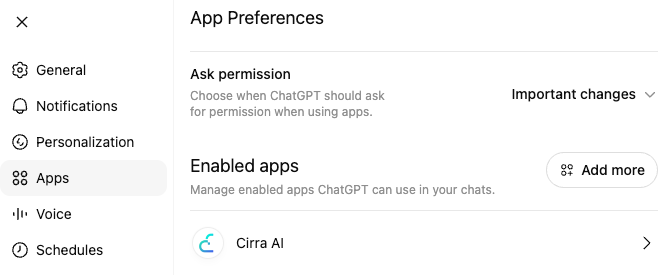
For ChatGPT, make sure the Cirra AI app is enabled under Settings → Apps
Tool Permissions
AI clients will typically ask your permission the first time before using any tool provided by the Cirra AI MCP server:
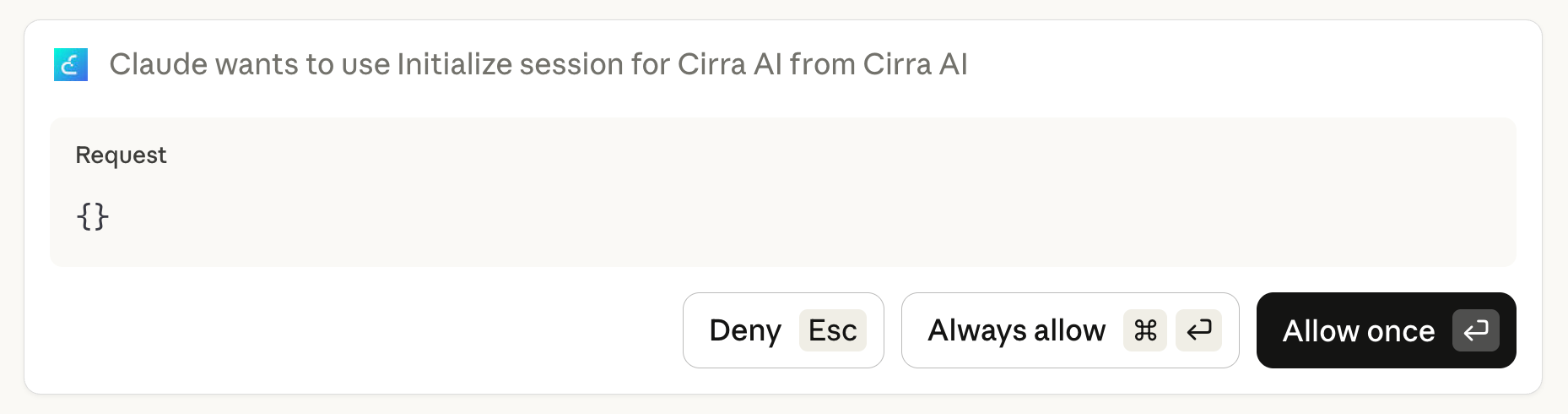
Click Always allow to prevent repeated popups for the same function.
Granting tool permission in bulk
To proactively grant permissions and disable these dialogs:
-
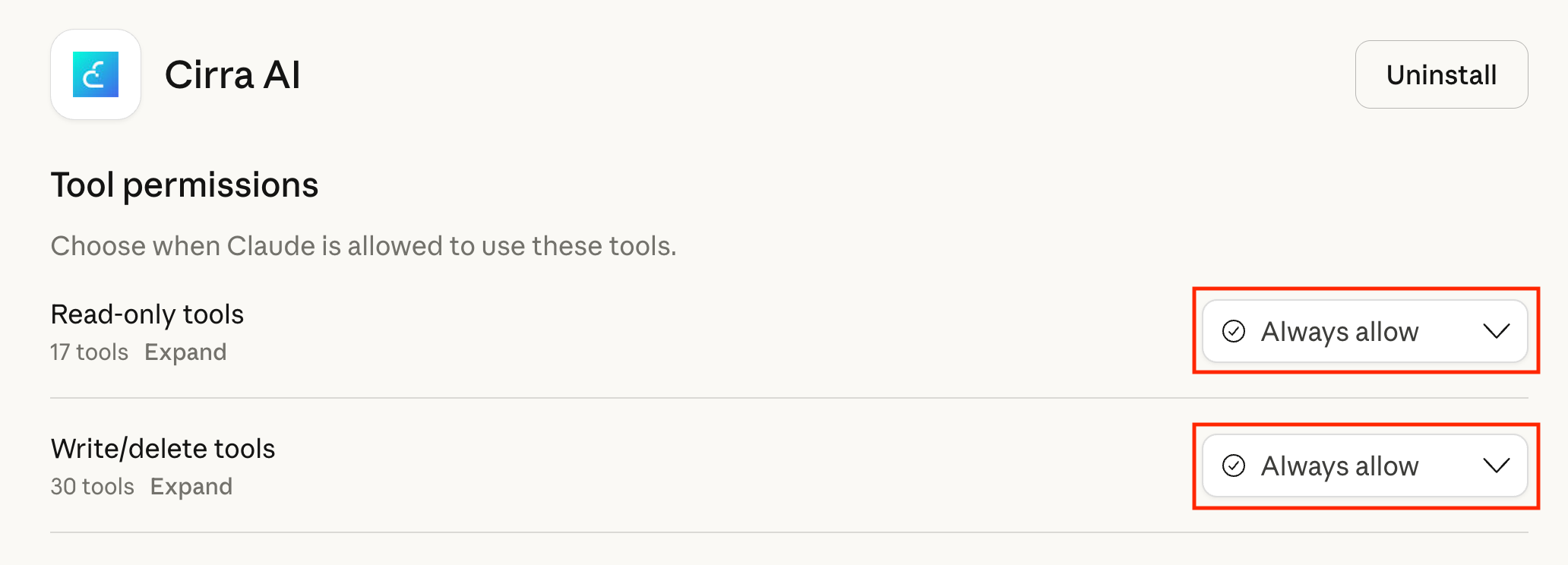
For Claude go to https://claude.ai/settings/connectors and select the Cirra AI connector.
You should then see a page where you can change the tool permissions
-
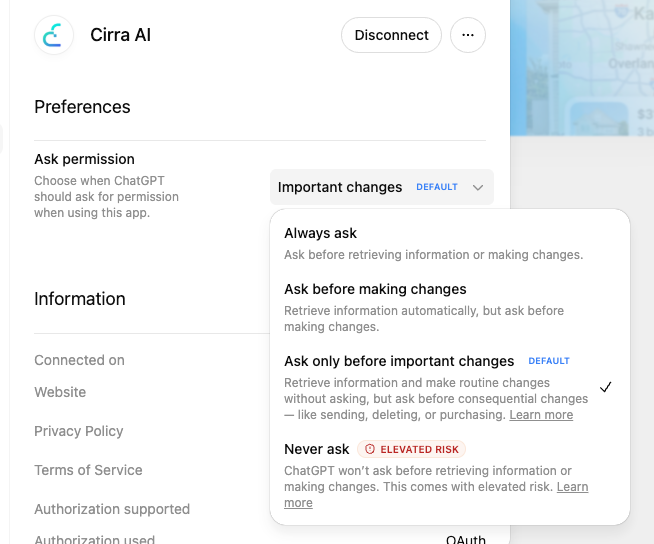
For ChatGPT go to the Cirra AI App Settings and then check the Preferences
-
For other AI clients, follow the instructions provided by your vendor
Troubleshooting
If the tools are enabled but you receive a message like this:

This typically indicates that the connection to the Cirra AI MCP Server was not successful.
Check the connection as explained just above, and if that does not work then redo the steps under Connecting to your AI client.
For other issues, you should receive more specific error messages.
Issues with AI clients
If Cirra AI tools fail, time out, or appear unavailable, the cause can be an outage or degraded performance in your AI client rather than Cirra AI itself. Check the status page for your client:
- Claude: https://status.claude.com/
- OpenAI (ChatGPT and Codex): https://status.openai.com/
- Cursor: https://status.cursor.com/