Managing your Cirra AI account
Managing your subscription
You can see your subscription status at https://app.cirra.ai/mcp
In all cases, you will see:
- The type of plan and status of your subscription
- the number of credits you have used
- your total credits allowance for the current period
- the date on which the credit allowance will reset
If your credits have run out you will not be able to use the MCP Server until you activate your subscription and/or purchase additional credits.
- The steps to activate your subscription depend on whether you would like to purchase a Professional (individual) or Team plan:
- See Managing an active subscription to purchase additional credits once you have an active subscription
Activating a Professional plan
There are slight differences depending on whether you are currently on a free trial or a free plan.
Converting from a free trial
If you are on a free trial, activate your paid subscription by clicking the Activate subscription link:

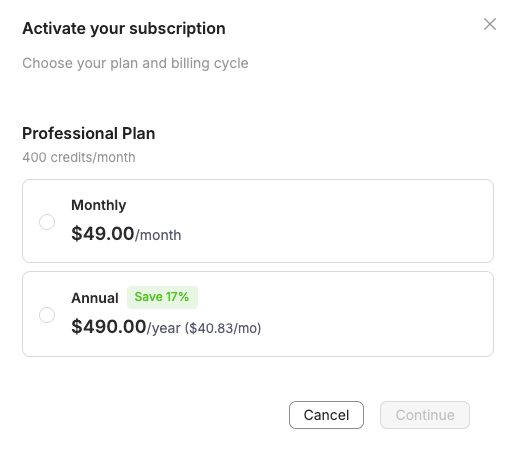
Then, select your preferred billing cycle (Monthly or Annual) and click Continue
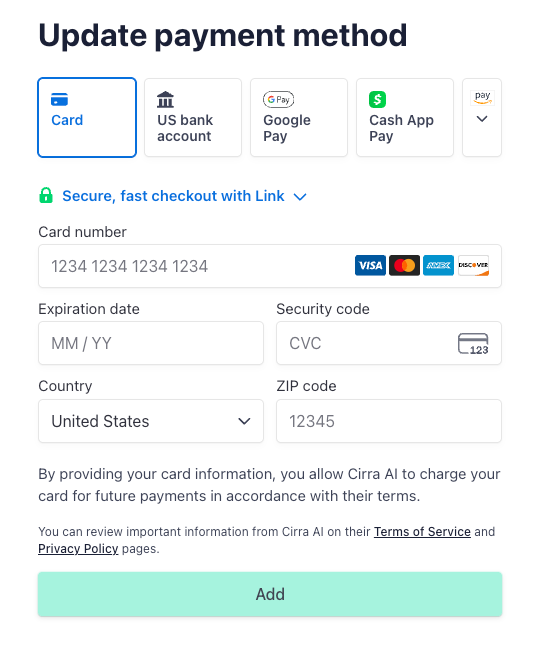
On the next page, enter your payment method, and click Add
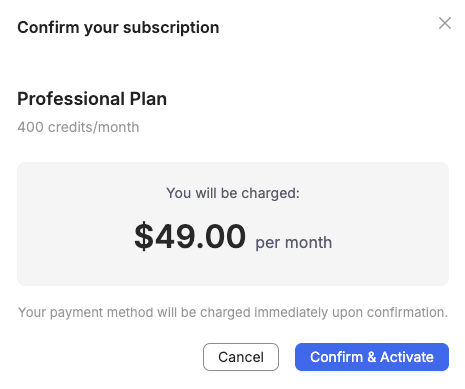
Finally, click Confirm and Activate to submit payment and start your subscription.
Converting from a free plan
If your trial has ended and you are on the free plan:
Click the Activate subscription link

Select your preferred billing cycle (Monthly or Annual) and click Continue
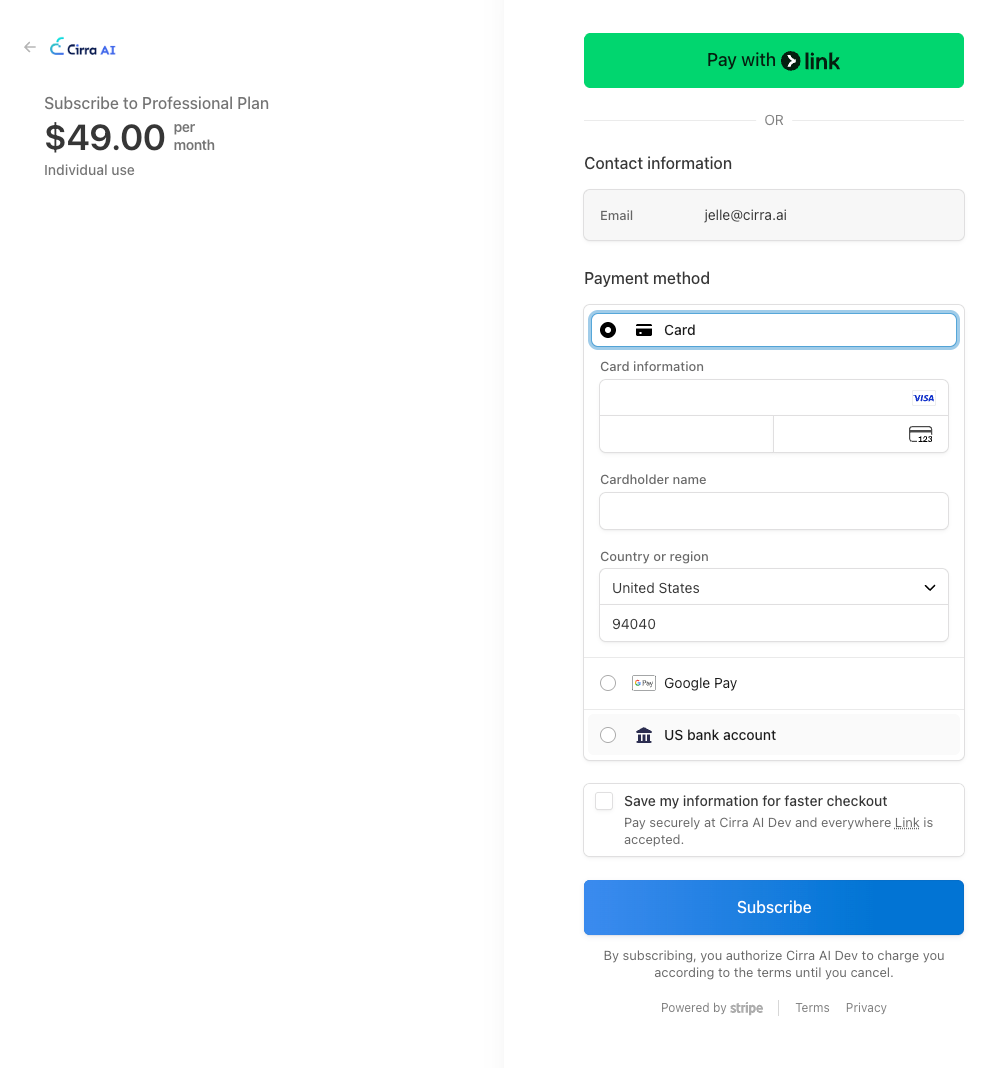
On the next page, enter your payment method, and click Subscribe to start your subscription.
Setting up a Team plan
A team plan lets you share credits with all of the users on your team.
To sign up for a team plan:
-
Create a team as explained under Creating a team
-
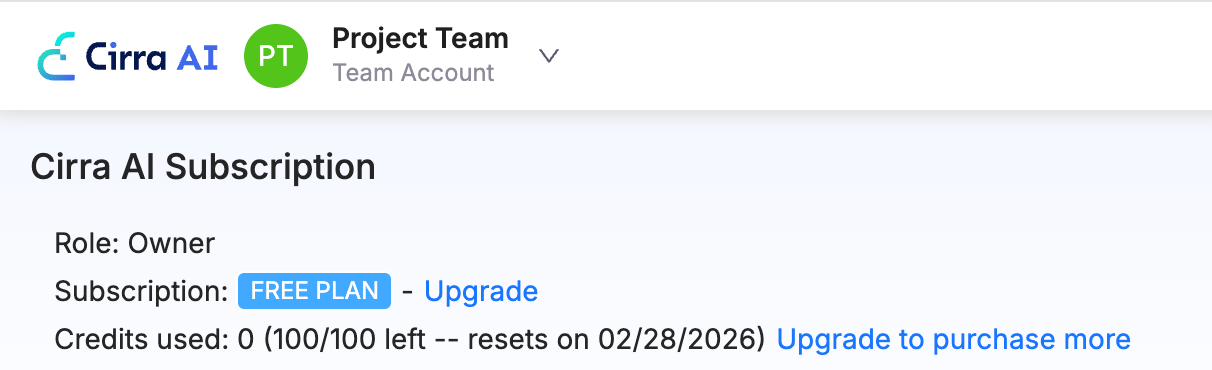
Switch to the team
-
Click the
Activate subscriptionlink -
Select your preferred billing cycle (Monthly or Annual) and click
Continue -
On the next page, enter your payment method and complete the checkout
If you previously had a paid Professional subscription and you want to move to the Team plan, you can cancel your Professional subscription to avoid getting charged twice.
Managing an active subscription
Viewing the subscription details
Click the Manage subscription link to view and manage your subscription.
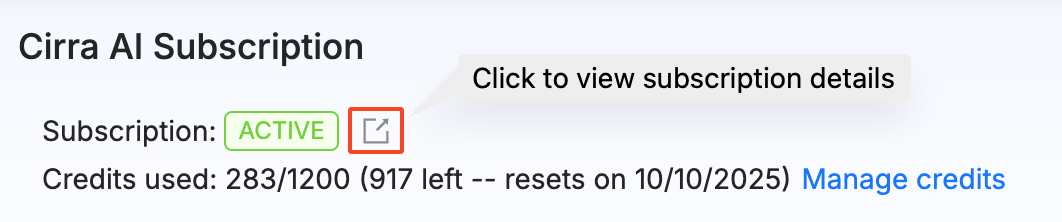
You can:
- Update your payment method and other information
- View your upcoming payments and invoice history
- Update your subscription to switch between monthly and annual plans
- Cancel your subscription
Add or reduce credits
Click the Manage credits link to add or reduce extra credits on top of the base allowance that comes with your subscription.
When you change the number of credit upgrade packs, you will be shown the impact on your subscription payment, both the amount immediately charged (for increases) and the future renewal amount.
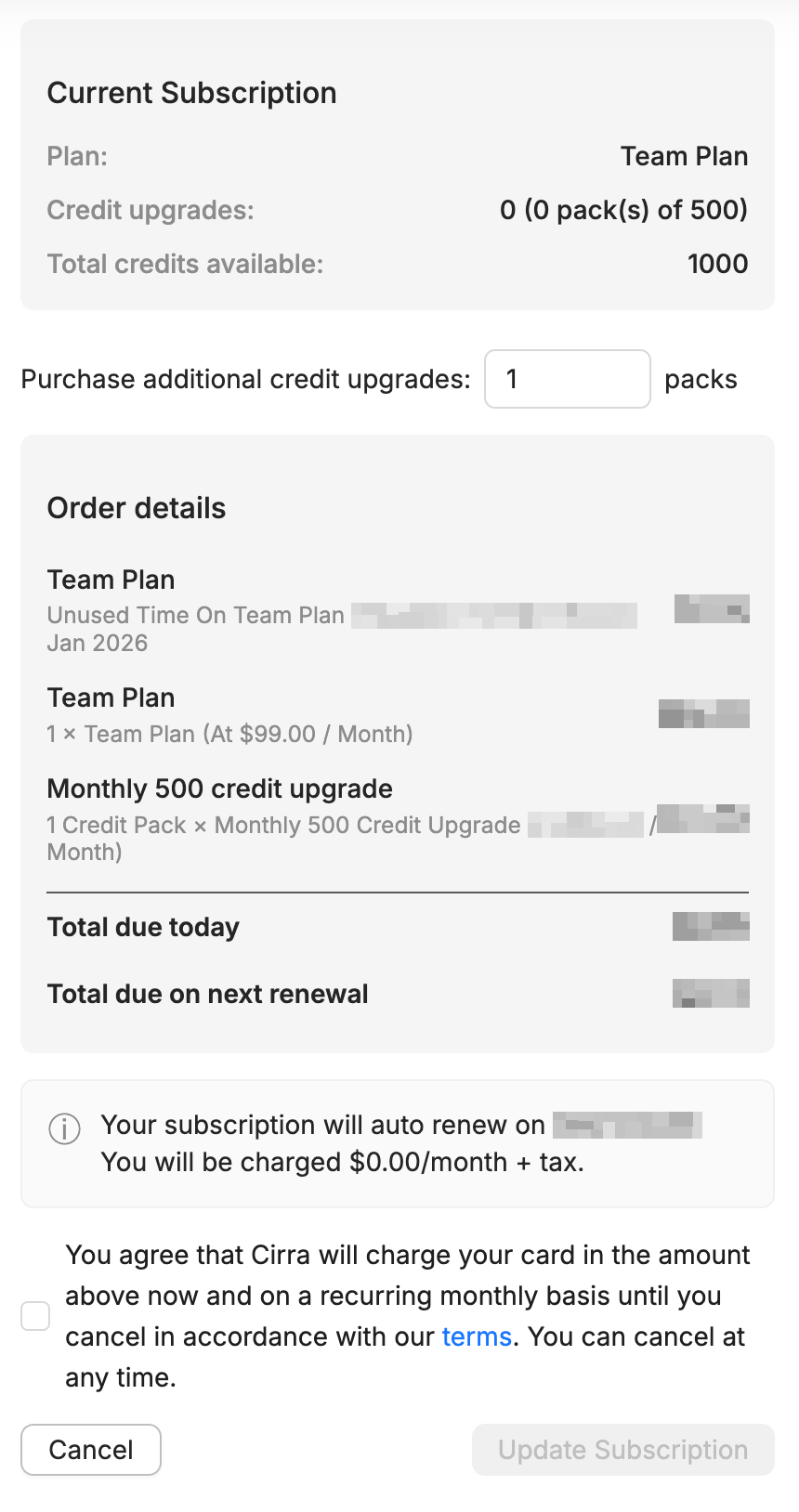
To apply the updates, check the box and then click Update subscription.
Managing teams
In addition to your personal account, your Cirra AI user can belong to one or more teams.
A team has a separate subscription and allows you to share credits with other users.
Users in a team also have their own set of connected Salesforce orgs. Team owners and admins can share orgs with the rest of the team, or open an org to all of its Salesforce users (Shared - global).
Teams are managed on the Cirra AI dashboard at https://app.cirra.ai/settings/teams
Creating a team
To create a new team:
- Navigate to https://app.cirra.ai/settings/teams
- Click Create New Team
- Enter a team name
- Click Create Team
The new team will appear in the list

You will always be the initial Owner of the team.
From the Actions drop down you can:
- Manage the users on the team
- Delete the team
Managing team users
When you add users to the team they will see the team next time they log in with the email that was used in the invitation.
Users can be in one of four roles:
- Owner: has full access to the team including its subscription
- Admin: can add and remove other users (except owners), and can share Salesforce orgs with the team
- Member: can use the shared credits for the team, and can authorize orgs that an owner/admin has shared
- Basic: MCP-only access, auto-provisioned when a Salesforce user connects through an org that is Shared - global. Basic members cannot use the Cirra AI web app or change team settings
Switching between teams
To switch between Cirra AI teams that you have access to, navigate to https://app.cirra.ai/mcp and select a different team from the drop down. You can also select your personal account.
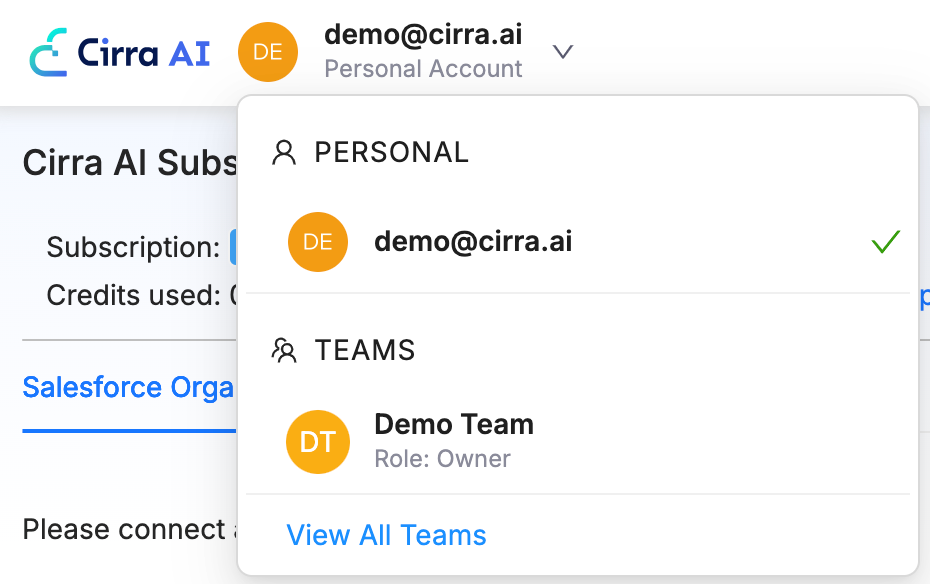
After you switch teams the MCP Server will automatically use the orgs and credits for the selected team.