Using the Cirra AI MCP Server
Summary
Once you have successfully connected to a Salesforce org, you're ready to use the MCP server!
This page covers:
- Cirra AI capabilities
- Skills
- Switching between Salesforce orgs
- Switching between Cirra AI teams
- Tips and tricks
Overview of Cirra AI capabilities
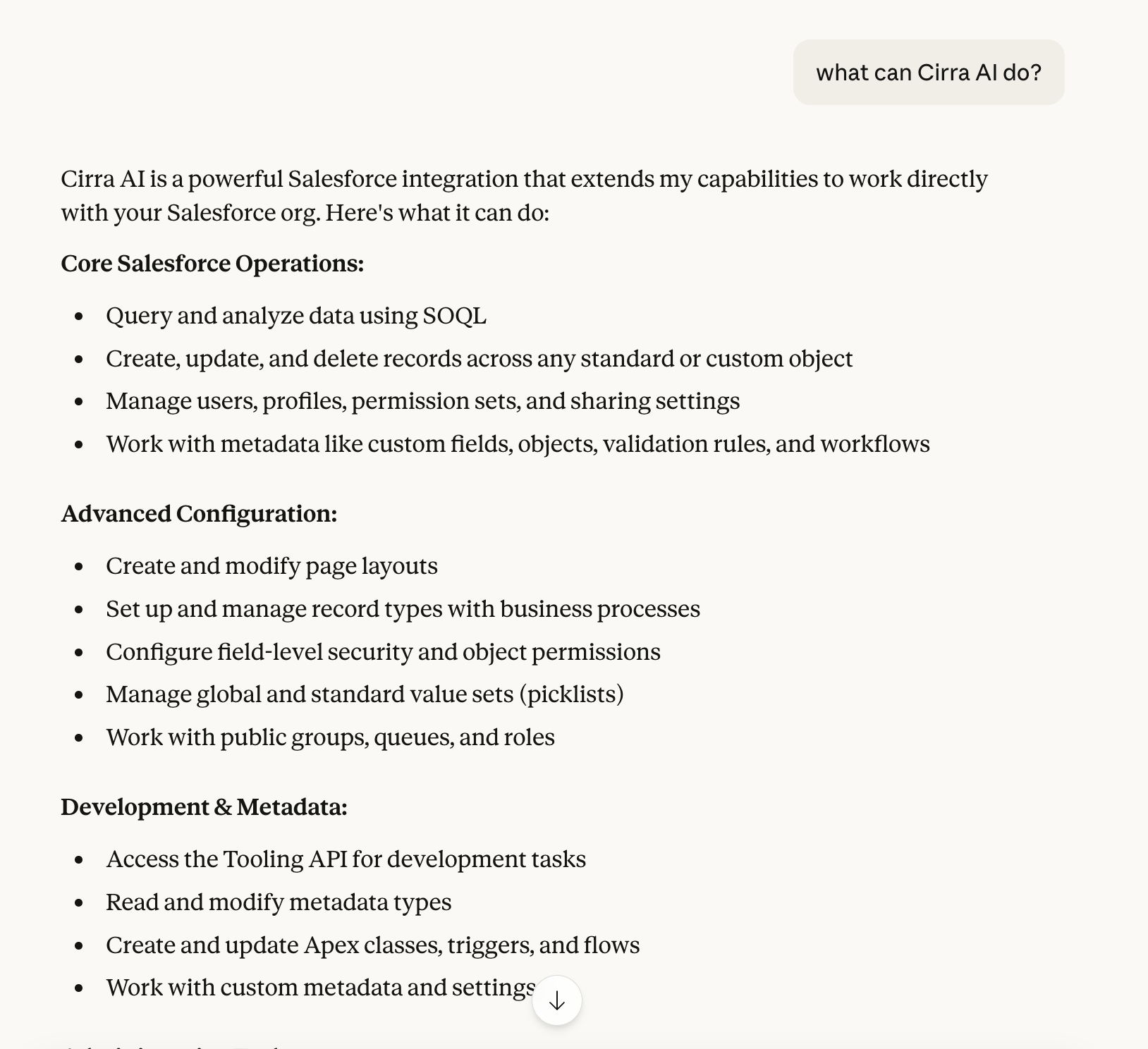
To get a sense for what Cirra AI can do, type a prompt like What can Cirra AI do?,
which will give you a comprehensive list of capabilities:
You can also ask Show me some sample Cirra AI prompts:
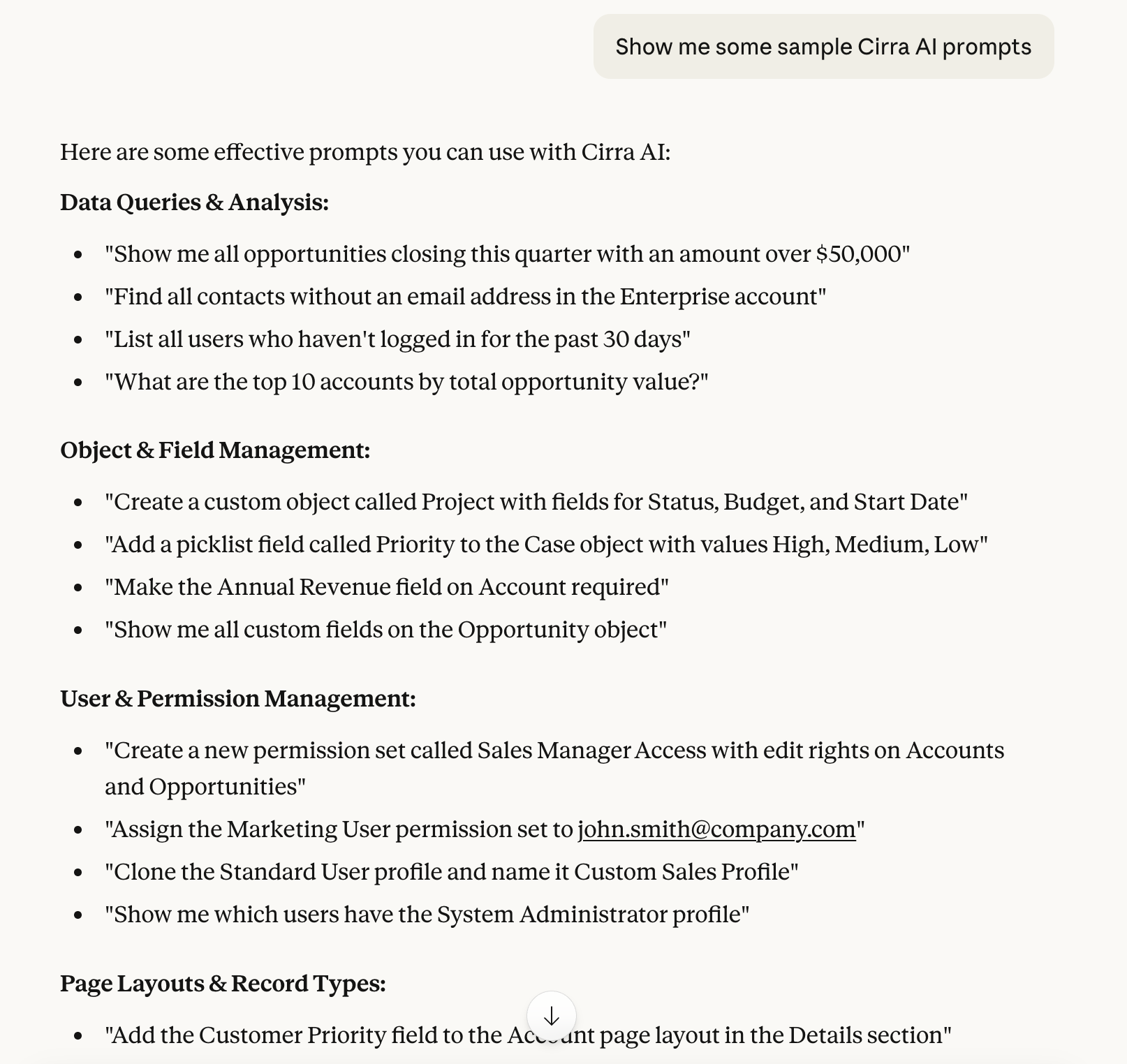
For more detailed instructions and sample prompts for each of the capabilities, just ask!
Cirra AI skills library
Cirra AI offers a library of skills -- specialized prompts and supporting artifacts that guide the AI through complex Salesforce tasks with best-practice methodology, scoring, and validation built in.
We recommend installing the skills to get the most out of the MCP server. Click here for details
Switching between Salesforce orgs
The MCP Server uses a default Salesforce connection for all operations. You can view and manage connected orgs and select a default team using the Cirra AI dashboard at https://app.cirra.ai/mcp (see Managing orgs)
You can also manage connections from inside your AI client using prompts like:
What Salesforce orgs are connected via Cirra AI?Please switch Cirra AI to the 'xyz' orgPlease connect Cirra AI to a new org with username 'xyz'
For xyz use a unique identifier of the connection, ideally a username.
Switching connections for the current conversation
By default these requests will switch the default org for all future sessions.
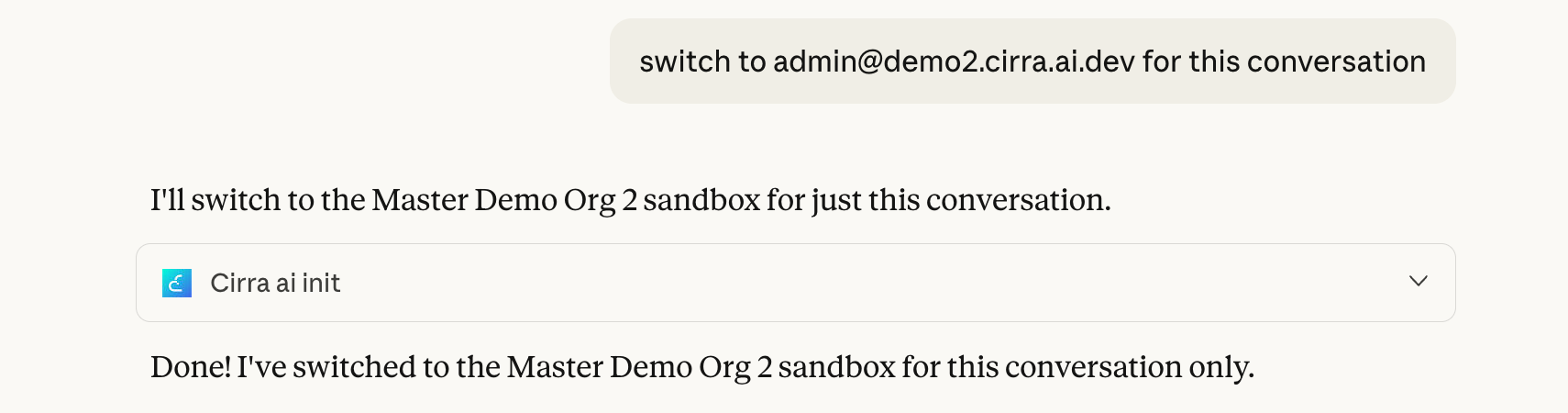
In ChatGPT and Claude you can also switch the org just for the current chat/conversation by
adding for the current chat to the request. For example:
Please switch Cirra AI to the 'xyz' org for this conversation
This is useful when you want to work in a different org temporarily without affecting future sessions.
Using a specific connection for a request
You can execute any request against a specific org by including the Salesforce username in your prompt:
List all flows in the 'xyz' org
Compare the flows in the default org to those in the 'xyz' org
The username must be associated with a connected org in your current team (or personal account).
Switching between Cirra AI teams
In addition to your personal account, your Cirra AI user can belong to one or more teams.
You can view and manage your teams and select a default team using the Cirra AI dashboard at https://app.cirra.ai/mcp (see Managing teams for details).
You can also manage teams from inside your AI client:
What Cirra AI team am I connected with?What Cirra AI teams do I have access to?Switch Cirra AI to team 'My Team Name'
Switching teams will also change the available Salesforce connections, since connections are associated with either your personal account or a specific team.
Tips and tricks
Effective prompting
If you see your LLM going through multiple steps before either arriving at the right solution, or giving up and recommending a manual approach, it may help to:
- Explicitly ask the LLM to "research the question" before providing an answer
This (for Claude at least) will prompt it to do a web search and base a response on those findings. - Add a small snippet of text in your prompt to point it in the right direction.
If you have insight that will help the LLM focus in the right area, you can add this to the prompt. You can also collect hints that you use frequently in a project (as explained below) to avoid repeating yourself.
OpenAI also publishes tips for working with apps and connectors in their ChatGPT help center.
Use of Projects
Claude and ChatGPT provide a Projects feature which is very helpful in organizing information and instructions specific to a task. Other LLM providers have similar features.
We recommend using one or more projects for your use of the Cirra AI MCP server. You can use these to upload specific instructions related to the Salesforce org(s) you are working with, as well as general guidance that helps the LLM perform well in your context. This allows you to write shorter prompts while still benefiting from detailed guidance.
Use of multiple MCP servers
The ability to connect your AI client to multiple different MCP servers is a huge benefit of the standard. For instance you can connect Jira and GitHub in addition to Cirra AI to automate an entire DevOps workflow.
However, in some cases the AI client may get confused which server you intend to use for a specific request.
If that happens, it helps to mention Salesforce or Cirra AI in the prompt, as in
List all custom fields on the Salesforce Lead object or Use Cirra AI to list all custom fields on the Lead object
Setup page links
If you want to see any artifact in Salesforce setup, simply ask the LLM to "show me a setup link for XYZ" (coverage is not 100% yet)
Use in production orgs
We recommend trying the MCP server with a sandbox or developer/scratch org until you are comfortable with the behavior. You can also use the Project feature described above to collect specific guidance on what to do (or not to do) in production orgs.